A shared format
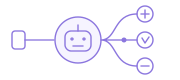
Keep datasets, calculations, relationships, and context in a readable model document, rather than only inside one product.
Apache Ossie (incubating), formerly Open Semantic Interchange (OSI), is an open, vendor-neutral specification for exchanging semantic models. It describes datasets, fields, relationships, metrics, and business context so compatible tools can work from shared definitions.
Apache-2.0 · Vendor-neutral specification
One open definition. More ways to use it.
A semantic model records how your data represents the business. Apache Ossie gives those definitions an exchange format, so supported analytics platforms, applications, and AI agents can reuse compatible modeling work.
Keep datasets, calculations, relationships, and context in a readable model document, rather than only inside one product.
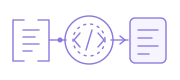
Exchange compatible definitions between tools. Review conversion diagnostics and runtime support before expecting equivalent behavior.
The specification describes the model. A compatible runtime still has to validate requests, plan queries, and execute them.
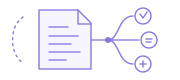
Keep using your BI and analytics tools. Ossie provides a shared format for the compatible definitions you want to review, maintain, and reuse across them.
Ossie defines the exchange format; DOSI provides execution for compatible models. Neither replaces your BI tools or warehouse. Conversion coverage and calculation behavior still need validation in the target runtime.
Explore supported conversion pathsThe model connects physical data to business meaning. Its definitions give both people and software something explicit to inspect.
Ossie models can be written in YAML or JSON. Each document declares its specification version; check that version against your validator and intended consumer.
Highlighted: Datasets
# Educational subset adapted from the Northstar Premier demo.
# Source queries, field expressions and booked_revenue are preserved.
# Root layout updated; ai_context is an added explanatory annotation.
version: 0.2.0.dev0
name: northstar_premier_excerpt
description: Northstar retail orders and booked revenue — educational subset
datasets:
- name: customers
source: northstar_living.dim_customer
primary_key:
- customer_id
fields:
- name: customer_id
datatype: Integer
expression:
dialects:
- dialect: ANSI_SQL
expression: customer_id
dimension: {}
- name: city
datatype: String
expression:
dialects:
- dialect: ANSI_SQL
expression: city
dimension: {}
- name: orders
source: SELECT o.* FROM northstar_living.fct_orders o JOIN northstar_living.dim_customer c
USING(customer_id) WHERE o.status='delivered' AND NOT o.is_test AND
o.delivered_at>=DATE '2025-09-20' AND o.delivered_at<DATE '2026-09-20' AND NOT
c.is_employee AND c.identity_status='resolved' AND EXISTS (SELECT 1 FROM
northstar_living.fct_order_lines l WHERE l.order_id=o.order_id AND
l.delivered_qty>0)
primary_key:
- order_id
fields:
- name: order_id
datatype: Integer
expression:
dialects:
- dialect: ANSI_SQL
expression: order_id
dimension: {}
- name: customer_id
datatype: Integer
expression:
dialects:
- dialect: ANSI_SQL
expression: customer_id
- name: ordered_at
datatype: Date
expression:
dialects:
- dialect: ANSI_SQL
expression: ordered_at
dimension: {}
- name: lines
source: SELECT l.* FROM northstar_living.fct_order_lines l JOIN
northstar_living.fct_orders o ON l.order_id=o.order_id JOIN
northstar_living.dim_customer c ON o.customer_id=c.customer_id WHERE
o.status='delivered' AND NOT o.is_test AND o.delivered_at>=DATE '2025-09-20' AND
o.delivered_at<DATE '2026-09-20' AND NOT c.is_employee AND
c.identity_status='resolved' AND l.delivered_qty>0
primary_key:
- order_line_id
fields:
- name: order_line_id
datatype: Integer
expression:
dialects:
- dialect: ANSI_SQL
expression: order_line_id
dimension: {}
- name: order_id
datatype: Integer
expression:
dialects:
- dialect: ANSI_SQL
expression: order_id
- name: gross_sales_cents
datatype: Integer
expression:
dialects:
- dialect: ANSI_SQL
expression: gross_sales_cents
- name: discount_cents
datatype: Integer
expression:
dialects:
- dialect: ANSI_SQL
expression: discount_cents
relationships:
- name: lines_to_orders
from: lines
to: orders
from_columns:
- order_id
to_columns:
- order_id
- name: orders_to_customers
from: orders
to: customers
from_columns:
- customer_id
to_columns:
- customer_id
metrics:
- name: booked_revenue
expression:
dialects:
- dialect: ANSI_SQL
expression: SUM((lines.gross_sales_cents-lines.discount_cents)*0.01)
ai_context:
instructions: Booked revenue uses gross sales less discounts, in currency units. Inspect
source filters and do not treat booked revenue as customer margin.
synonyms:
- booked sales
- sales before refunds
{
"version": "0.2.0.dev0",
"name": "northstar_premier_excerpt",
"description": "Northstar retail orders and booked revenue — educational subset",
"datasets": [
{
"name": "customers",
"source": "northstar_living.dim_customer",
"primary_key": [
"customer_id"
],
"fields": [
{
"name": "customer_id",
"datatype": "Integer",
"expression": {
"dialects": [
{
"dialect": "ANSI_SQL",
"expression": "customer_id"
}
]
},
"dimension": {}
},
{
"name": "city",
"datatype": "String",
"expression": {
"dialects": [
{
"dialect": "ANSI_SQL",
"expression": "city"
}
]
},
"dimension": {}
}
]
},
{
"name": "orders",
"source": "SELECT o.* FROM northstar_living.fct_orders o JOIN northstar_living.dim_customer c USING(customer_id) WHERE o.status='delivered' AND NOT o.is_test AND o.delivered_at>=DATE '2025-09-20' AND o.delivered_at<DATE '2026-09-20' AND NOT c.is_employee AND c.identity_status='resolved' AND EXISTS (SELECT 1 FROM northstar_living.fct_order_lines l WHERE l.order_id=o.order_id AND l.delivered_qty>0)",
"primary_key": [
"order_id"
],
"fields": [
{
"name": "order_id",
"datatype": "Integer",
"expression": {
"dialects": [
{
"dialect": "ANSI_SQL",
"expression": "order_id"
}
]
},
"dimension": {}
},
{
"name": "customer_id",
"datatype": "Integer",
"expression": {
"dialects": [
{
"dialect": "ANSI_SQL",
"expression": "customer_id"
}
]
}
},
{
"name": "ordered_at",
"datatype": "Date",
"expression": {
"dialects": [
{
"dialect": "ANSI_SQL",
"expression": "ordered_at"
}
]
},
"dimension": {}
}
]
},
{
"name": "lines",
"source": "SELECT l.* FROM northstar_living.fct_order_lines l JOIN northstar_living.fct_orders o ON l.order_id=o.order_id JOIN northstar_living.dim_customer c ON o.customer_id=c.customer_id WHERE o.status='delivered' AND NOT o.is_test AND o.delivered_at>=DATE '2025-09-20' AND o.delivered_at<DATE '2026-09-20' AND NOT c.is_employee AND c.identity_status='resolved' AND l.delivered_qty>0",
"primary_key": [
"order_line_id"
],
"fields": [
{
"name": "order_line_id",
"datatype": "Integer",
"expression": {
"dialects": [
{
"dialect": "ANSI_SQL",
"expression": "order_line_id"
}
]
},
"dimension": {}
},
{
"name": "order_id",
"datatype": "Integer",
"expression": {
"dialects": [
{
"dialect": "ANSI_SQL",
"expression": "order_id"
}
]
}
},
{
"name": "gross_sales_cents",
"datatype": "Integer",
"expression": {
"dialects": [
{
"dialect": "ANSI_SQL",
"expression": "gross_sales_cents"
}
]
}
},
{
"name": "discount_cents",
"datatype": "Integer",
"expression": {
"dialects": [
{
"dialect": "ANSI_SQL",
"expression": "discount_cents"
}
]
}
}
]
}
],
"relationships": [
{
"name": "lines_to_orders",
"from": "lines",
"to": "orders",
"from_columns": [
"order_id"
],
"to_columns": [
"order_id"
]
},
{
"name": "orders_to_customers",
"from": "orders",
"to": "customers",
"from_columns": [
"customer_id"
],
"to_columns": [
"customer_id"
]
}
],
"metrics": [
{
"name": "booked_revenue",
"expression": {
"dialects": [
{
"dialect": "ANSI_SQL",
"expression": "SUM((lines.gross_sales_cents-lines.discount_cents)*0.01)"
}
]
}
}
],
"ai_context": {
"instructions": "Booked revenue uses gross sales less discounts, in currency units. Inspect source filters and do not treat booked revenue as customer margin.",
"synonyms": [
"booked sales",
"sales before refunds"
]
}
}
Click an attribute to locate its definition. This example covers the five core categories shown here, not every optional Ossie property. It preserves selected Northstar source queries, fields, relationships and booked_revenue. The root layout is adapted to the current draft; ai_context is an explanatory annotation added for this page. It is not the complete nine-table production demo.
A portable definition is a starting point. Each consumer must support the model features and expression language it uses.
Explore a complete semantic modelThe core semantic model describes datasets, fields, metrics, and their data relationships. The separate ontology specification describes business concepts, roles, relationships, and rules; mapping documents connect that conceptual model to semantic models.
Customer → places → OrderDescribe what things mean and how they relate, beyond a physical table name.
Concepts & roles ↔ datasets & fieldsConnect the conceptual business vocabulary to its representation in semantic models.
orders.amount → revenueMake source mappings and calculation expressions explicit for compatible consumers.
Descriptions and synonyms in ai_context help interpretation, but are not a substitute for the ontology specification. Consumers need to document which ontology and mapping features they implement.
Read the upstream ontology specificationInstead of maintaining a separate translation for every pair of tools, use Ossie as the common exchange format. A supported converter imports or exports the definitions that its source and destination can represent.
Datus’s conversion workbench includes these example paths. They move model definitions—not the underlying data. Import and export coverage are maintained separately.
For example: Cube YAML → Ossie → Snowflake Cortex Analyst format. In this workbench Snowflake Cortex Analyst is export-only; raw dbt project YAML is not an accepted dbt import. Review diagnostics, then validate and test in the destination. Availability follows the live tool catalog.
Launched as Open Semantic Interchange in 2025, the project later became Apache Ossie (incubating). It remains in the Apache Incubator; the specification continues to evolve.
Development and decisions happen in public. The ecosystem includes Snowflake, Salesforce, dbt Labs, Microsoft, Databricks, Datus, and others; implementation support varies. Anyone can discuss proposals, report issues, or contribute.
DOSI turns compatible Apache Ossie definitions into native SQL. Within Datus, that runtime sits alongside Datus Agent and Studio: agents work with shared business meaning, while teams build, review, and inspect the context behind their work.
A shared workspace for Agent-driven data engineering.
A complete data Agent for engineering and analysis.
Execute compatible Ossie definitions as native SQL.
An open, vendor-neutral semantic modeling specification.
Apache Ossie (incubating) is an Apache Software Foundation project maintained by its community, not a Datus-owned product. This diagram shows how Datus uses the specification: DOSI executes compatible definitions. Datus and DOSI are independent of the ASF and are not ASF-endorsed products.
The open specification describes semantic models and ontology. It does not execute a query by itself.
The semantic runtime validates compatible definitions and compiles supported requests into native SQL. It can also be used independently.
Studio provides a shared workspace; Datus Agent carries out data engineering and analysis. Modeling is one part of that workflow.
Ossie defines the metadata. MCP, API, and CLI access are supplied by implementations, not automatically by an Ossie file. Shared context helps ground analysis; it does not guarantee an error-free answer.
Inspect DOSI executionDOSI is Datus’s semantic execution runtime, available within Datus and independently. It reads compatible Ossie definitions, validates supported requests, and compiles them into native SQL for the configured data source.
Use datasets, metric expressions, and declared relationships as inputs.
Check the request and plan supported joins and aggregations; report unsupported cases explicitly.
Inspect the SQL before choosing to execute it against your configured source.
Watch the DOSI walkthrough to follow the product workflow.
Watch on YouTubeYou can build a model from existing work or bring compatible definitions from another tool. Keep your team in the review loop.
Use Datus Agent to help draft definitions from SQL, supported BI queries, documents, and new requirements. Review the model in your workflow.
Explore the modeling workflowUse supported import paths for existing semantic artifacts. Inspect the output and diagnostics, then validate it in the intended runtime.
Open the conversion workbenchStart with a small model and an inspectable SQL query. Connect your own source after you understand the model and execution boundaries.
Follow the Ossie + DOSI quickstartUsing the same format does not mean every tool implements every feature or computes every query the same way.
Apache Ossie is the open specification developed at the Apache Software Foundation. DOSI uses Elastic License 2.0. Datus Agent is open-source under Apache-2.0. Datus and DOSI are independent products, not ASF projects or ASF-certified implementations.
| Layer | What to check |
|---|---|
| Apache Ossie core | Validate the document against the upstream schema and the specification version it declares. |
| DOSI runtime | Check supported expressions, query behavior, source adapters, and execution requirements in the current documentation. |
| Datus extensions | Advanced capabilities may use the specification’s extension mechanism. Other tools may not interpret these extensions. |
| Conversion paths | Import and export are separate capabilities. Review fields, dependencies, diagnostics, and any unsupported semantics. |
Go deeper into the standard, inspect an implementation, or choose the guide that fits your next task.
The history and motivation behind portable business definitions.
What a semantic model looks likeA worked model and its business definitions.
No. An Ossie document describes semantic definitions; it is not a query runtime. A compatible engine must interpret the supported definitions, validate the request, plan the calculation, and generate or execute a query. DOSI provides that execution path for compatible models and supported requests.
Open Semantic Interchange, often shortened to OSI, is the earlier name of the initiative now developed as Apache Ossie (incubating). Older articles, paths, and commands may still use OSI. A shared name history does not guarantee that every historical model shape is compatible with today’s specification; check the document version and current validator.
Yes. The specification is vendor-neutral and is developed independently of Datus. Choose a consumer that supports the definitions and behavior you need. DOSI can be used independently of Datus Studio through its supported interfaces; it does not require adopting the complete workspace to compile a compatible model.
Check the source artifact, model version, relationships, expressions, and conversion diagnostics. Then validate and test the intended queries in the target runtime. A successful conversion does not by itself establish equivalent filters, timezone handling, extension support, or results across tools.
No. The Apache Ossie ecosystem lists organizations and their work with the specification. Datus appears there for DOSI, its quickstart, and Datus Agent. That listing is not an ASF certification or endorsement of the products. Apache Ossie is an incubating Apache project; Datus and DOSI are separate products.
It declares a specification version and model name, then describes datasets and fields, with relationships, metrics, and context as needed. YAML and JSON are both supported. The downloadable example on this page uses the 0.2.0.dev0 document shape and was checked with DOSI 0.2.0. Older examples may use a different wrapper; validate the version before reuse.
Apache Ossie defines an open format for exchanging semantic metadata. The dbt Semantic Layer provides a modeling and metric-querying system. Supported converters can move compatible definitions between formats; coverage, expressions, and execution behavior still need validation. Our comparison guide explains the different roles.
Agents can inspect the declared fields, metrics, relationships, descriptions, and AI context, then submit supported requests to a compatible consumer or runtime. DOSI supplies an execution path for compatible definitions. The document itself does not provide an agent protocol or guarantee correct answers.
The official ecosystem directory lists participants including Datus, Databricks, dbt Labs, Microsoft, and Salesforce. Inclusion does not mean every organization offers the same integration. Check the linked implementation details for import, export, native reading, and execution support.
Ossie is the shared document format at the hub; converters connect vendor-specific formats as spokes. This reduces the need to build a separate converter for every pair of tools. It does not require a central data service, and unsupported semantics may still need changes after conversion.
Build and review context with Datus, or start independently with the DOSI quickstart.