
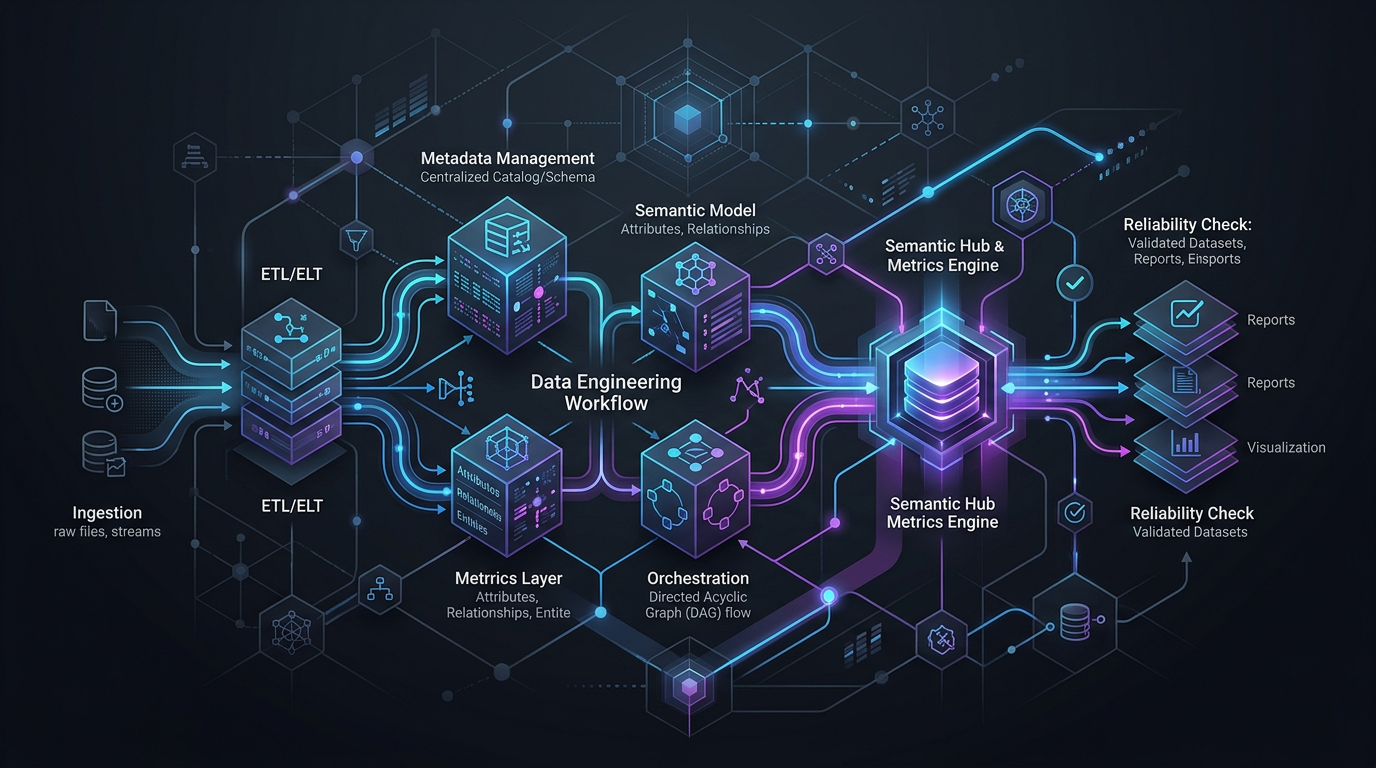
Using MCP Extensions in Data Engineering Workflows
Data engineering work breaks down when an AI system can only answer questions but cannot interact with the tools that hold real context. A useful agent needs more than prompts. It needs controlled access to the systems where work actually happens.
That is where MCP extensions become practical.
In data engineering workflows, MCP extensions give an agent a structured way to access tools, retrieve context, and take bounded actions across the stack. Instead of treating the model like a disconnected analyst, you give it a runtime path to work with catalogs, warehouses, orchestration systems, semantic layers, and related services in a governed way.
This matters because modern data work is rarely a single query. Most tasks span discovery, validation, planning, execution, review, and handoff. Tool access changes the quality of the workflow.
What MCP extensions do in a data engineering workflow
At a practical level, MCP extensions help connect an agent to the tools it needs in order to complete a task, not just describe one.
That can include access to:
- metadata and catalog systems
- semantic models and metrics definitions
- warehouse or lakehouse environments
- orchestration and scheduling tools
- data quality and observability systems
- documentation and operational runbooks
The important shift is this:
Without tool access, an agent produces suggestions. With the right tool access, an agent can participate in the workflow.
That does not mean handing over unrestricted control. It means exposing the right tools, the right context, and the right permissions for the job.
Why MCP extensions matter more in data engineering than in generic AI use cases
Data engineering is a poor fit for shallow prompt-only automation.
A useful workflow usually depends on questions like:
- Which table is authoritative?
- What does this metric actually mean?
- What downstream dashboards depend on this pipeline?
- Is this field deprecated?
- Did the last run fail because of source freshness, schema drift, or permissions?
- Should this task produce a recommendation, a draft change, or an approved execution step?
Those answers live across systems. They are shaped by metadata, lineage, semantics, governance, and operational state.
This is why MCP extensions are not just a convenience layer. They are part of how you move from isolated model output to workflow-aware execution.
Common workflow patterns for MCP extensions
A strong MCP workflow in data engineering usually follows a repeatable pattern:
Receive intent
A user asks for a task in natural language, such as tracing a broken dashboard metric or preparing a pipeline change.Gather context from tools
The agent uses extensions to inspect metadata, lineage, recent runs, documentation, model definitions, or warehouse objects.Reason over structured context
The agent forms a plan based on what the systems actually contain, rather than relying on guesswork.Take bounded action
The workflow may generate SQL, propose a dbt change, open a ticket, run a validation step, or trigger an approved workflow.Return evidence and next steps
The output includes what was checked, what was found, what action was taken, and what requires human review.
This pattern is much more reliable than asking a model to improvise from memory.
Example use cases for MCP extensions in data engineering
1. Investigating a failed pipeline
A pipeline fails overnight. An engineer asks the agent to identify the likely cause.
With MCP extensions, the agent can:
- inspect the latest run status in the orchestration layer
- review recent schema or dependency changes
- pull lineage for impacted downstream assets
- check whether data quality rules failed
- summarize the likely failure path with supporting evidence
Without tool access, the model can only provide a generic troubleshooting checklist.
2. Tracing metric discrepancies
A business team reports that a KPI changed unexpectedly.
An agent using MCP extensions can:
- inspect the metric definition in the semantic layer
- trace upstream model dependencies
- compare recent pipeline changes
- identify whether logic, freshness, or source changes explain the variance
- prepare a concise incident summary for the data team
This is where semantic-aware reasoning becomes important. Tool access alone is not enough if the agent cannot distinguish a metric definition from a raw column.
3. Assisting with controlled workflow execution
A team wants help generating a change, but not blind automation.
A governed MCP-based workflow can allow an agent to:
- collect relevant table and model context
- propose a transformation or test update
- run validation checks in a bounded environment
- present a reviewable diff or action summary
- wait for human approval before executing the next step
That is a more realistic operating model for production data systems.
What good MCP extension design looks like
Not every tool connection improves reliability. In practice, good extension design follows a few rules.
Expose task-relevant capabilities, not everything
More tools do not automatically create a better agent. In many cases, they create more ambiguity.
If the workflow is pipeline triage, the agent may need:
- orchestration status
- lineage context
- schema metadata
- data quality signals
It may not need write access to production systems.
Start from the workflow. Then expose only the tools and actions that fit it.
Prefer structured outputs over raw text dumps
Agents perform better when tools return typed, constrained, and understandable data.
For example, these are more useful than unbounded blobs of text:
- job status with timestamps and error class
- lineage relationships by asset and dependency type
- metric definition with owner and source model
- test results by severity and run time
Structured context makes reasoning more stable and easier to audit.
Separate read access from write access
This is one of the most important design decisions.
Many workflows benefit from broad read access and narrow write access. An agent may need to inspect many systems in order to explain a problem, but only a small subset of actions should be executable.
A simple policy model is:
- Read widely for context gathering
- Write narrowly for approved actions
- Require review for state-changing steps
That pattern supports useful automation without turning the workflow into black-box execution.
Keep a human in the loop where risk rises
In production data systems, not every action should be autonomous.
Human review is especially useful when the workflow involves:
- schema changes
- metric definition changes
- production writes
- workflow triggers with downstream business impact
- access or governance exceptions
Good MCP integration supports handoff and approval. It does not try to erase them.
A practical implementation approach
If your team is evaluating MCP extensions for data engineering, a phased rollout is usually the right choice.
Phase 1: Start with read-heavy workflows
Pick workflows where the agent mainly gathers context and produces recommendations.
Good candidates include:
- pipeline triage
- impact analysis
- metric definition lookup
- incident summarization
- data asset discovery
This gives the team useful output quickly while keeping risk low.
Phase 2: Add bounded actions
Once the retrieval and reasoning path is reliable, introduce narrow actions such as:
- generating a draft SQL or model change
- opening an issue with context attached
- running validations in a safe environment
- preparing a workflow plan for approval
This is where MCP extensions start to improve workflow speed rather than just answer quality.
Phase 3: Add policy, evaluation, and auditability
Before scaling up, define how the workflow will be governed.
That should include:
- approved tools by workflow type
- allowed actions by role or environment
- logs of tool calls and decisions
- evaluation criteria for accuracy and usefulness
- escalation paths when the agent is uncertain
In data engineering, reliability is not just model quality. It is operational design.
Safe integration principles for MCP extensions
If you only remember one section from this article, make it this one.
MCP extensions are most valuable when they improve control, not just connectivity.
Use these principles as a working checklist:
- Define the workflow before exposing tools
- Give the agent access to context, not blanket power
- Prefer structured, inspectable tool outputs
- Limit write actions to clear, approved cases
- Return evidence with every recommendation or action
- Log tool usage for review and debugging
- Use semantic and lineage context wherever business meaning matters
- Treat uncertainty as a signal to pause or escalate
These practices help turn tool-using agents into reliable collaborators instead of unpredictable operators.
Where this fits in the Datus view of agentic data engineering
Datus frames agentic data engineering as a system problem, not just a prompting problem. That is the right lens here.
MCP extensions matter because they help connect natural language intent to real data workflows. But they only become production-useful when combined with structured context, semantics, lineage, governance, and execution guardrails.
In other words, tool access is necessary, but it is not sufficient.
A capable data engineering agent needs to:
- understand what systems exist
- retrieve the right context from them
- reason over that context accurately
- take actions within policy
- show its work
That is the difference between a tool-connected demo and a workflow-capable platform.
Final takeaway
Using MCP extensions in data engineering workflows is not about giving an LLM more buttons to press. It is about designing a safe path from intent to execution.
When done well, MCP extensions help agents move beyond generic answers and support real operational work: investigation, planning, validation, and bounded execution across the data stack.
The strongest implementations start narrow, stay structured, and treat governance as part of the design.
If your goal is reliable automation in production data systems, that is the standard worth holding.
Next steps
If you are exploring tool-using agents for production data workflows, start with the MCP and extension guidance in the Datus docs and map the workflow before you expose the tools.
- Explore MCP and extension documentation
- Read How MCP Changes Data Workflow Automation to see where this article fits in the broader MCP/tooling cluster
FAQ
What are MCP extensions in data engineering?
MCP extensions are integrations that let an AI agent access tools and system context during a workflow. In data engineering, that can include metadata systems, semantic definitions, orchestration tools, warehouses, lineage, and observability services.
Why do MCP extensions matter for data agents?
They matter because data engineering workflows depend on system context. Without tool access, an agent can only provide generic suggestions. With the right extensions, it can inspect relevant systems, reason over evidence, and support bounded workflow execution.
Are MCP extensions the same as full automation?
No. A strong MCP design usually separates context retrieval from execution and keeps high-risk actions behind approvals or policy controls. The goal is reliable automation with guardrails, not unrestricted autonomy.
What is the safest way to start using MCP extensions?
Start with read-heavy workflows such as incident investigation, impact analysis, or asset discovery. Once the agent consistently retrieves the right context and produces useful outputs, add limited actions with clear approval paths.
What tools should be connected first?
Begin with the systems most relevant to the target workflow. In many teams, that means metadata, lineage, orchestration, semantic definitions, and quality signals before broader write access to production systems.